Skip to the page

How it works

From the counter to an approved change.

Munshi keeps your books from what you already do, and every step is one you can check.

Late at night the shopkeeper rests his head on his hand, writing in a thick ledger by a single bulb.
  1. Records come in from the shop's day

    A sale at the counter, a photo of a supplier's bill, a photo of a shelf, a question asked by voice. Each lands as rows in the books, entered by the person who did it.

  2. Agents read; they never write

    Overnight and when you ask, Munshi's agents read stored snapshots of your books. Their database role has no write grant: they can look, and they can propose.

  3. They draft; you decide

    A finding comes with a draft that shows exactly what would change. Approve, and the change runs under your name in one transaction with its audit entry. Reject, and nothing moves.

  4. Every figure opens its record

    A number on screen is a cell of a stored snapshot. Tap it to see the row, the read and the time. When a figure has no row behind it, the screen says Cannot verify.

  5. The demo is fenced

    This deployment runs only sample shops on synthetic data. A sample shop you make is a private sandbox for seven days; its public site stays hidden, and no message leaves it.

The counter at rush hour: the shopkeeper hands a bag across, phone in his other hand, customers crowding in.
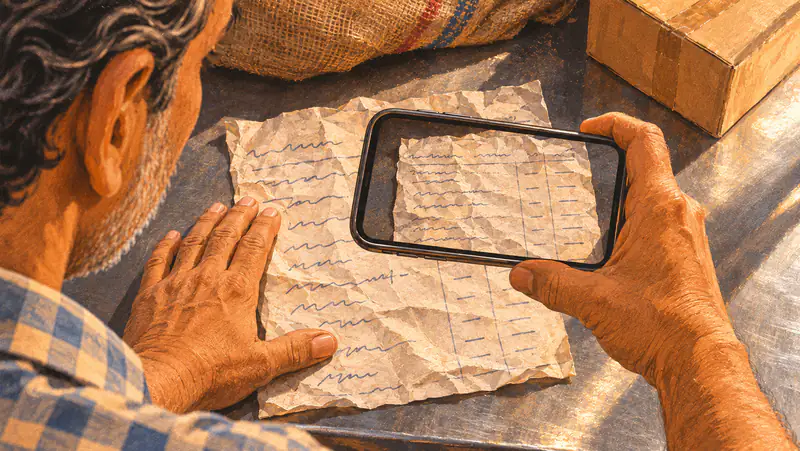
Over the shopkeeper's shoulder: his hand flattens a crumpled supplier's bill while his phone photographs it.

Nothing changes your books without your yes.

Every change waits for you.

Reminders, reorders, stock corrections, price changes: an agent drafts them and stops. Approving runs the change under your name, with the time, in one step with its audit entry. Not now means nothing moves.

Approvedby the owner

Every number has a source.

A figure on a Munshi screen is read from a stored row of your books, never typed by the model. Tap it for its source. If a number cannot be traced, Munshi says Cannot verify instead of guessing.

tap for sourceCannot verify · the bank statement has not been imported

Simulated means labelled.

The demo runs on synthetic data. Its suppliers are simulated, and payments are recorded, never processed. Every screen with a simulated part says so.

Demo on synthetic data · suppliers simulated · payments recorded, never processed

See it on a sample shop.

Pick a sample shop and a person in it, or make your own private sample shop. No email, no password.